Apple, iOS, and the need for third-party innovation

A main use of my iPad is creating music. In my experience, iOS has provided a convenient and relatively low-cost way to explore and experiment with music synthesis, sampling, looping, audio processing, programming, sound design, production and dissemination of my semi-amateur home-studio recordings. The numerous developers involved in creating music-related apps have produced some of the most innovative products available.

At times, these developers have pushed the envelope when it comes to app design, functionality and interoperability. Even though many of these developers are involved with the design and production of hardware instruments and technology, and writing software for laptop and desktop computers, they also recognise that the iPad offered another way to interface with digital music tools. In some cases, iPad apps can connect to or interact with their hardware and software counterparts (e.g., touchAble).

Elsewhere, developer vision has pre-empted and even overtaken Apple’s own product design. A good example is IAA (Inter-App Audio), introduced by Apple in 2013. While some app developers were quick to adopt this feature into their own products, in the same year the team at Audiobus took this functionality to another level, with a fully integrated platform within iOS that allows multiple apps to be connected virtually. Eventually, in 2019, Apple countered by upgrading their own Audio Unit (AU) infrastructure that introduced another way to connect separate apps.

There remain some anomalies in Apple’s approach to competing music apps and their commercial models. Although Apple has enabled developers to offer in-app purchases and upgrades, it is noticeable that to this day, Bandcamp does not sell digital music via its mobile app (thought to be due to Apple’s hefty sales commission on digital content?); but Bandcamp customers can purchase physical goods via the app. While over on the SoundCloud app, users can purchase in-app subscriptions offering ad-free streaming and off-line content, but Spotify customers cannot purchase similar premium streaming services within the corresponding app.

The latest move from Apple has got some developers quite excited. As well as bringing its professional video editing suite, Final Cut Pro, to iPad, Apple has launched an iPad version of Logic Pro, its professional music DAW (Digital Audio Workstation). Now, I don’t have a problem with this, and I can see the attraction for both app developers and Logic Pro users.

I myself use Ableton Live (and not Logic Pro or Apple’s consumer-level product, GarageBand), so I am not planning to add another desktop DAW. Besides, Ableton enables third party developers to integrate their AU and VST plug-ins on Mac. In addition, Ableton has launched a mobile app, Ableton Note, that can interact with the desktop program, which just confirms the co-existence of these platforms, and user preference for interoperability.

My concern is that with the introduction of Logic Pro on iOS, Apple may close off some inter-app functionality to third party apps if they do not support integration with Logic Pro. We’ve seen the way Apple can shut down external innovation: without getting too technical, until 2021, and with a little effort, users could run iOS music apps on their Macs, and within DAWs such as Ableton. Apple then closed off that option, but more recently has enabled iOS-derived AUv3 plugins to run on M1 chip-enabled Macs.

Hopefully, Apple recognises that an open ecosystem encourages innovation and keeps people interested in their own products, as well as those from third-party developers.

Next week: Crown Court TV

App Overload

Following a recent upgrade to Apple’s iOS software, I found myself forced into some serious housekeeping on my iPad. I hadn’t realised how many dormant apps I had accumulated over the years, so I took the opportunity to do some culling.

First, there were apps that could no longer be accessed from the app store. These are programs that have been removed by their developers, or are no longer available from the Australian app store (yes, even in this digital day and age, geo-blocking still exists). I estimate that these accounted for about 20-30% of the total apps I have ever downloaded.

Second, apps that are not supported by the current version of iOS, because they have not yet been updated by their developers. (Luckily, I keep an older version of iOS on a separate iPad, which can allow me to retrieve some of these apps via some digital archeology.) These represented another 15-25% of my apps (a variable number, given that some of them may get upgraded).

Third, apps that I seldom or never use. Thankfully, the iPad Storage settings provide the “Last Used” date, but don’t enable users to rank by chronological use (or by frequency of usage; the “Search” function within Storage only lists apps alphabetically). Perhaps Apple can refine the Storage Management to help users better manage over-looked/under-used apps? Anyway, these forgotten or neglected apps accounted for another 25-30%.

In total, I estimate that up to 75% of my iPad apps were redundant, through disuse, obsolescence or inaccessibility. Research shows that 25% of apps we download are only used once, so unless these are free products, it feels like a large chunk of the US$900+ bn in app purchases could be going to waste…

Next week: Apple, iOS, and the need for third-party innovation


The new productivity tools

With every new app I download, install or have to use, I keep asking myself: “Do I feel more productive than I did before I downloaded it?” Comparing notes with a business associate the other week, I realised that the arsenal of daily tools I use continues to expand since I last blogged about this topic. At times, I feel like Charlie Chaplin in “Modern Times” trying to keep on top of this digital production line.

Image sourced from Wikimedia Commons

In particular, the number of communication tools (instant messaging and conferencing) keeps growing; document and file management continues to be a battle largely between operating systems; and most collaboration tools struggle to make the UI as seamless as it should be – so that the UX is all about the “process” for creating, updating and maintaining projects, and not the quality of outcomes.

So, as an update to my previous blog, here’s a few thoughts on recent experiences:

Meetings/Chat

Added to my regular list are Telegram, WeChat, UberConference, BlueJean and RingCentral. Meanwhile, Microsoft (Skype), Google (Hangouts) and Apple (FaceTime) all compete for our communications. (Even Amazon has its own conferencing app, Chime.) One of the biggest challenges I find is browser compatibility (when using via a desktop or laptop) – presumably because vendors want to tie you into their proprietary software eco-systems.

Project Management/Collaboration

Still looking for the perfect solution…. Products are either so hard-coded that they are inflexible, or so customisable that they can lack structure. I suspect that part of the problem is projects are still seen as linear (which makes sense from a progress and completion perspective), but we collaborate at multiple levels and tasks (with corresponding inter-dependencies), which don’t fit into a neat project timeline.

Document/File Management

I seem to spend most of my day in Google Drive (largely thanks to Gmail and Drive) and Dropbox (which continues to improve). I find Dropbox more robust than Google Drive for file management and document sharing, and it continues to expand the types of files it supports and other functionality. Whereas, with Drive, version control is a bit clunky, unless the document was first created in Google Docs.

Productivity

Overall, Google Docs is still not as good as MS Office (but does anyone use OneDrive, let alone iCloud/iWorks, for document sharing or collaboration?)

One thing I have noticed is that my use of native iOS productivity tools has dropped off completely – if anything, I am now using more MS Office iOS apps (e.g., Lens, OneNote), and some Google Docs apps for iOS. Plus the DropboxPaper iOS app.

CRM

I’m starting to use Zoho (having outgrown Streak) – and I’ve heard that there is even a Zoho plug-in that connects with LinkedIn, which I shall soon be exploring. But as with Collaboration tools, getting the right balance between rigidity and flexibility is not easy.

Next week: The first of three musical interludes….


Spaghetti in the Cloud

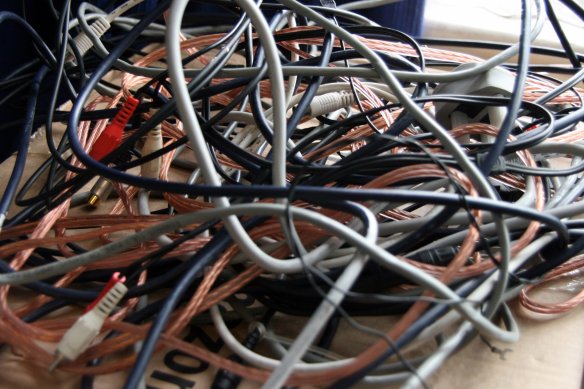
The combo of Cloud+Wireless+Mobile has transformed the way I work. For one thing, storing, accessing and sharing documents is now so much easier than having to send everything as bulky e-mail attachments tethered to a hard drive. However, as an independent consultant, with every new project, business or client I work with, I find I need to use different collaboration tools to be compatible with their workflow, IT systems or platform preferences. Great as all these collaborative apps are, the fact that many don’t talk to one another makes it feel like I am being sucked into a mess of virtual cables that don’t interconnect. Sort of “Spaghetti in the Cloud”.

Image sourced from Flickr

It feels like all my apps are unconnected yet tangled up in the Cloud (Image sourced from Flickr)

There is definitely a battle to dominate enterprise collaboration, with Facebook’s recent launch of Workplace to compete with the likes of Slack, the anticipated revamp of Microsoft’s Office 365 Groups when Yammer is decommissioned in early 2017, and Atlassian’s own HipChat. But aside from enterprise social media and chat, there is now competition across multiple collaboration tools. Here is a list of just a few of the productivity apps I have been exposed to across the various projects I work on:

Meetings/Chat

  • Skype for Business (formerly Lync)
  • Google Hangouts
  • Zoom
  • Cisco WebEx for iOS
  • GoToMeeting
  • Fuze
  • Join.Me
  • WhatsApp

Project Management

  • Samepage
  • Mightybell
  • Basecamp
  • Trello
  • Smartsheet

Document/File Management

  • Dropbox
  • OneDrive
  • Google Drive
  • FileApp (iOS)
  • FileManager Pro (iOS)
  • Docs To Go (iOS)

Productivity

  • Google Docs
  • Apple iWork
  • Microsoft Office 365
  • SlideShark

CRM

  • SalesForce
  • Insightly
  • Streak

And this list doesn’t include single-purpose apps like POP, Simplist and Ideament that allow some project sharing; the entire suite of creative, social media, blogging and CMS tools that organisations increasingly embrace as enterprise solutions; and the growing number of apps that support text, photo and video editing on mobile devices.

While some of these tools support content, file, document and even project sharing from within the app, a lot of functionality is native, and therefore embedded, and is not transferable. So I end up having to learn (and unlearn) the features, quirks and limitations of each one, project by project, client by client.

As I have written before, based on my experience of creating digital music (plus using and beta-testing iOS apps), an app like Audiobus set the standard for product compatibility and content integration. So much so, that Apple ended up supporting Inter-App Audio as a new standard for iOS. Since Audiobus, similar apps have emerged that allow audio and MIDI apps to run together on a single device, and to share/stream content between different mobile devices and desktop DAWs (Digital Audio Workstations): Midiflow, musicIO, AudioShare, AudioCopy, Audreio, studiomux etc.

If only enterprise software and productivity app developers would have a similar approach to product design and collaboration….

Next week: StartupVic’s Pitch Night for October